
Pack any pallet, tightly.
BoxLab Palletizer finds the most efficient way to stack cartons on a standard pallet. Five packing algorithms — from a clean aligned grid to a maximal-empty-cuboids heuristic — meet six-side box rotation, a live 3D preview and a real folded carton you can re-skin. Get boxes per layer, pallets needed and total weight before you book a single truck. No registration, no paywall, no download.
Works in your browser. No account needed — every feature unlocked, including the high-precision Max Cuboids packer.
Why Palletizer
Everything you need to plan a pallet
No simplified preview. The pallet you see is the pallet you build — same boxes, same gaps, same orientation, same weight.
Free, forever, no account
Every algorithm, every preset, every export — unlocked on first open. No e-mail, no card, no trial limit.
Five packing algorithms
From a clean aligned grid to a 3D bin-packing heuristic with maximal empty cuboids — pick the one that fits your boxes best.
Live 3D preview
Watch a real folded corrugated carton get stacked in real time. Orbit, zoom, drop shadows — same scene engine as the BoxLab editor.
11 standard pallet presets
EUR1–EUR7, NA 48×40 / 48×48 / 42×42, AUS, JP — pick one in a click. Or type any custom footprint.
Real materials & tape
Carton is a true folded box with corrugated texture and sealing tape, both swappable from a Materials picker. Looks like the pallet you will actually ship.
Built-in stats & dieline
Boxes per layer, total weight, pallets needed for your run, plus the carton dieline ready to download.
Packing algorithms
Five strategies, one click apart
Switch the dropdown — the layout rebuilds in milliseconds. Same boxes, very different stacks. Pick the one your warehouse actually loads.
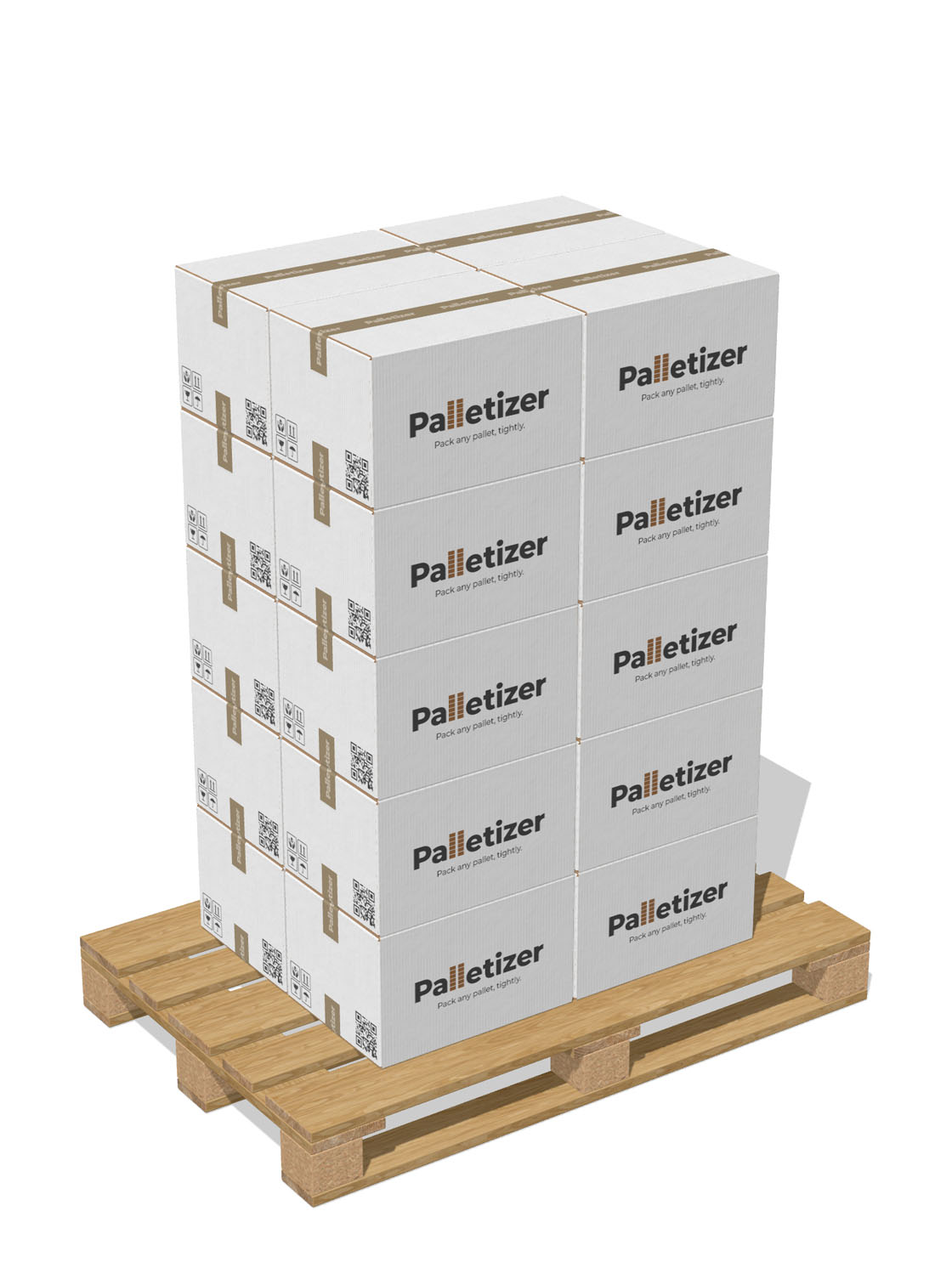
Aligned
One orientation, perfect grid
Every box shares one yaw (0° or 90° around Y). The orientation with the higher count wins.
- Fastest, deterministic output
- Ideal for uniform boxes on EUR or NA pallets
- Easiest to load by hand
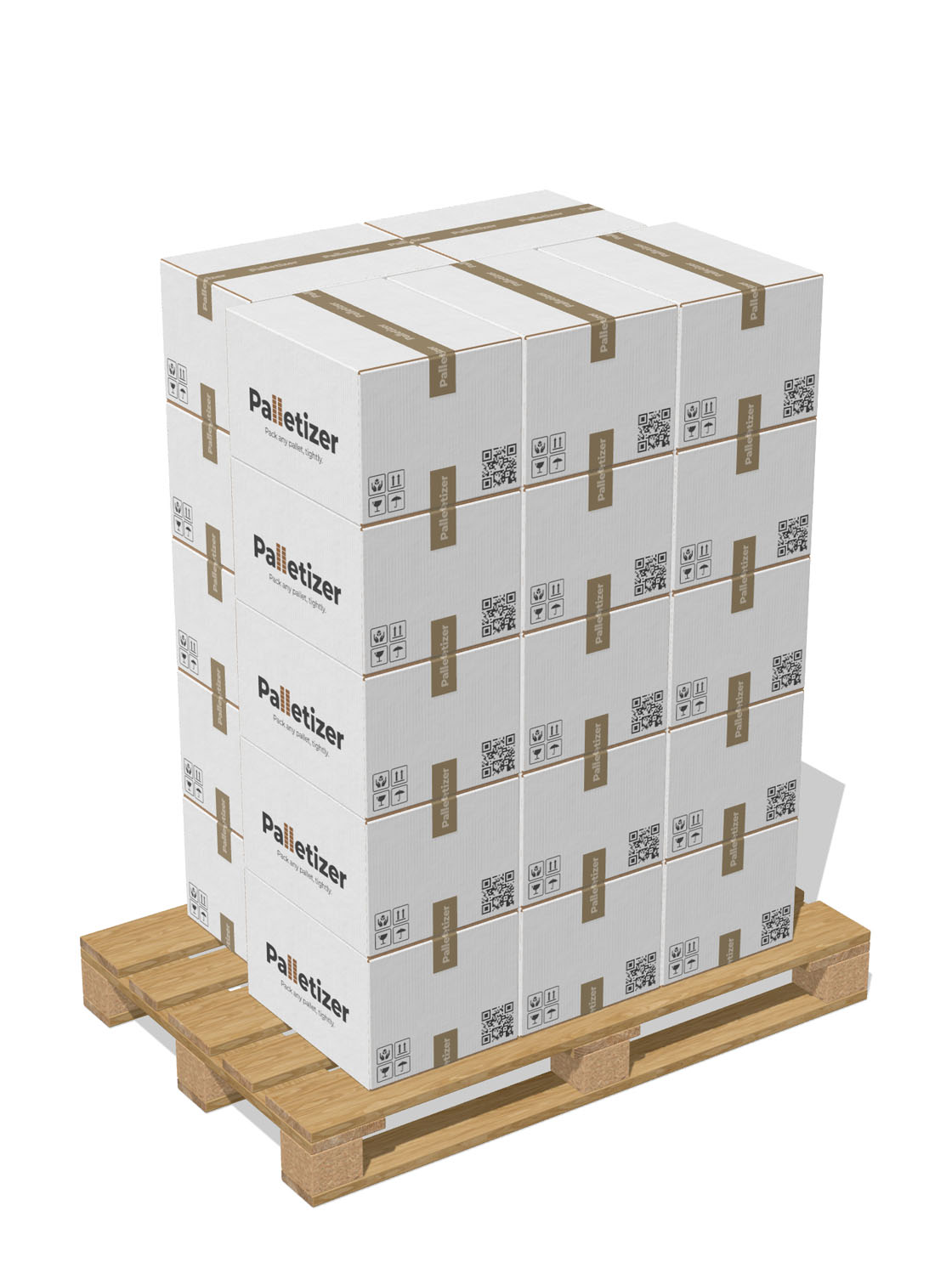
Mixed
Two yaws coexist in a tier
Within each tier the main grid is combined with a perpendicular strip in the leftover band — best of four split variants is chosen.
- Recovers wasted edge bands
- Centred on the pallet automatically
- Same orientation per stack column
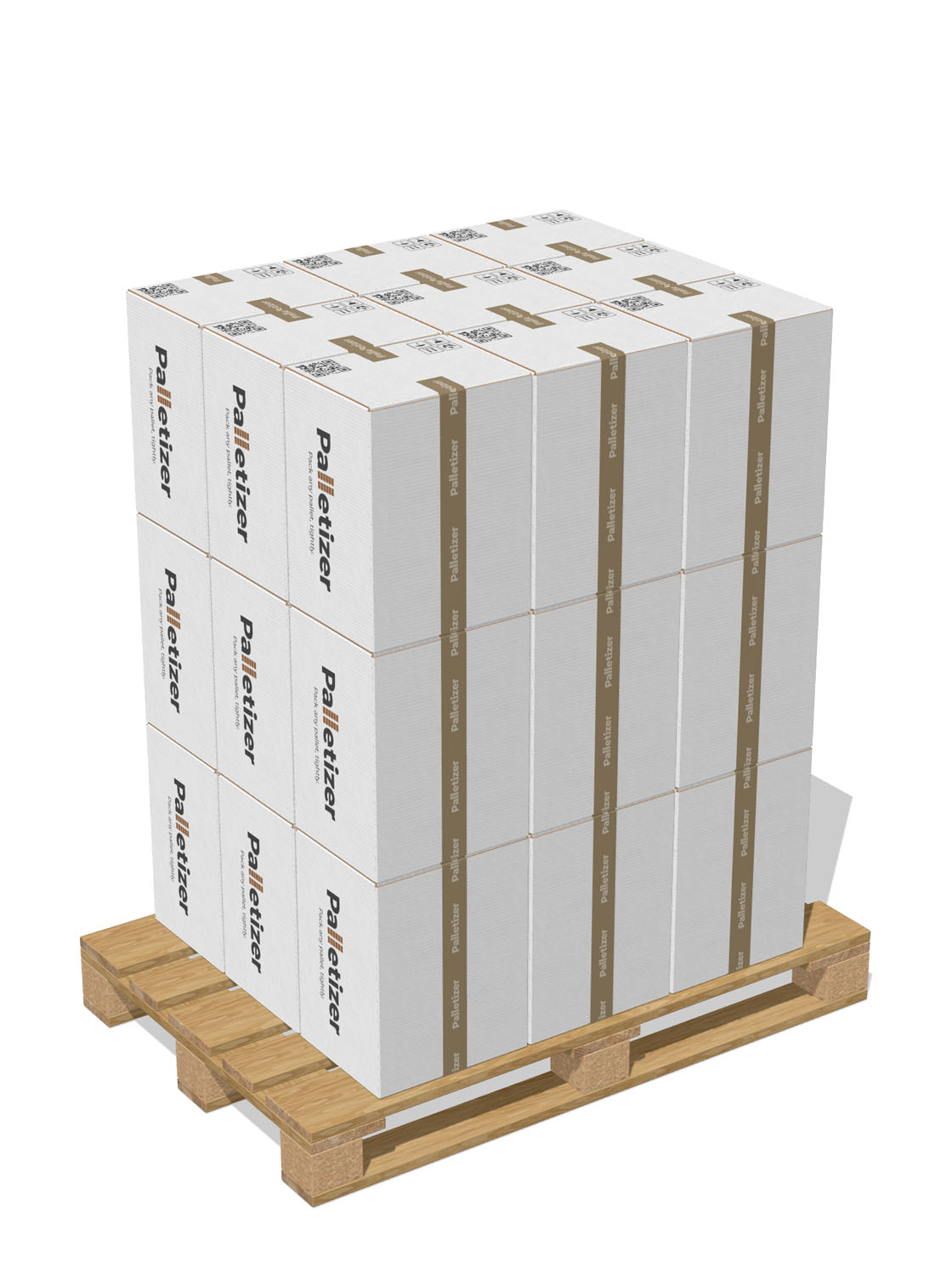
Free 3D
Best of six box-on-face orientations
All six box-on-face orientations are tried; the one with the highest total count over the load volume wins. Great when one box dimension is unusual.
- Boxes can lie on a side
- Single orientation for the whole stack
- Layered, easy to brace
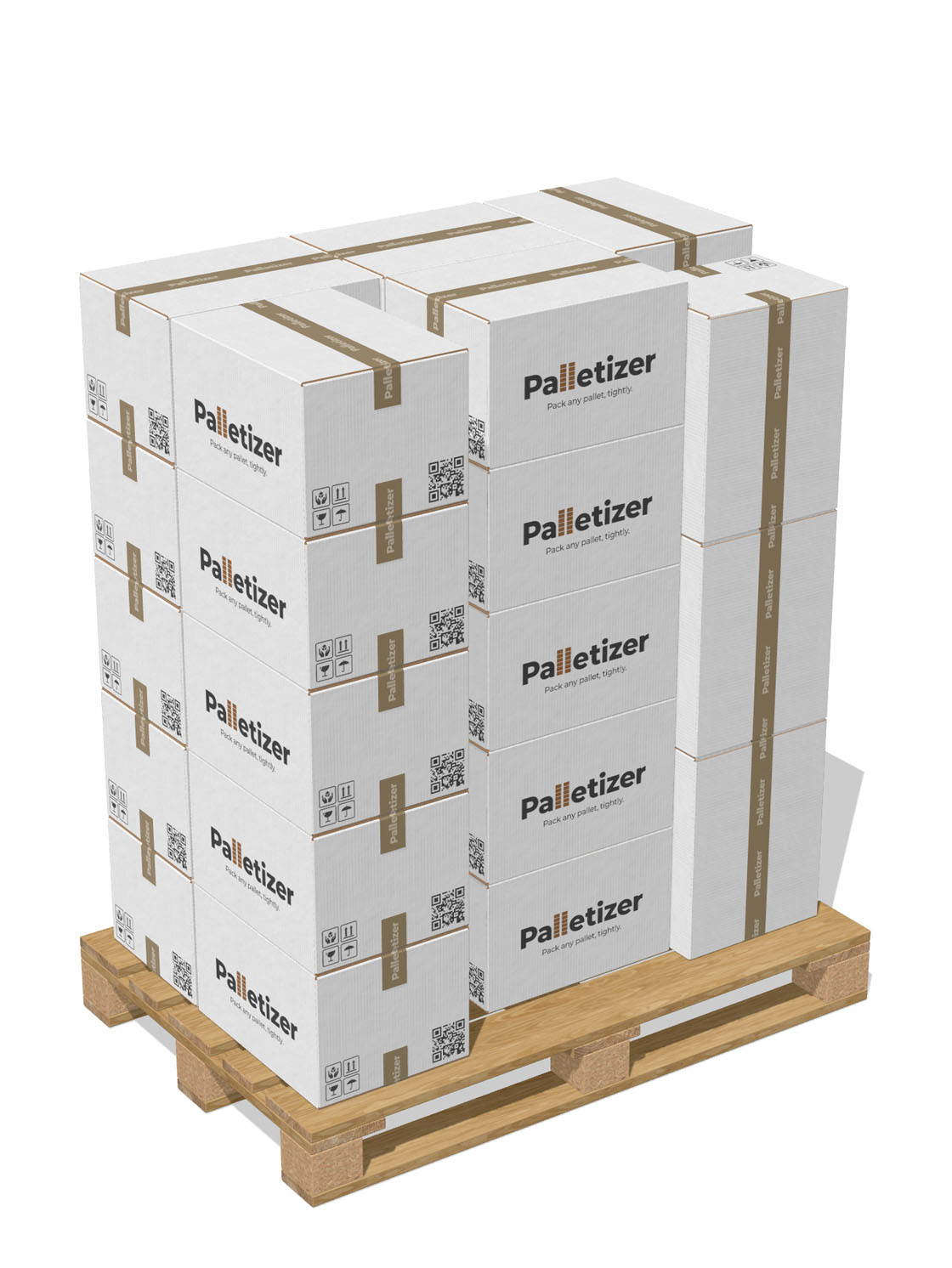
Free Fit
Extreme-point best-fit, no layers
Greedy EP-BFD 3D bin packing. Each box independently picks its corner and orientation, scoring lowest-Y first, then contact area with walls and neighbours.
- No layers — every box independent
- Sub-10 ms for typical pallets
- Tight packing for mixed leftovers
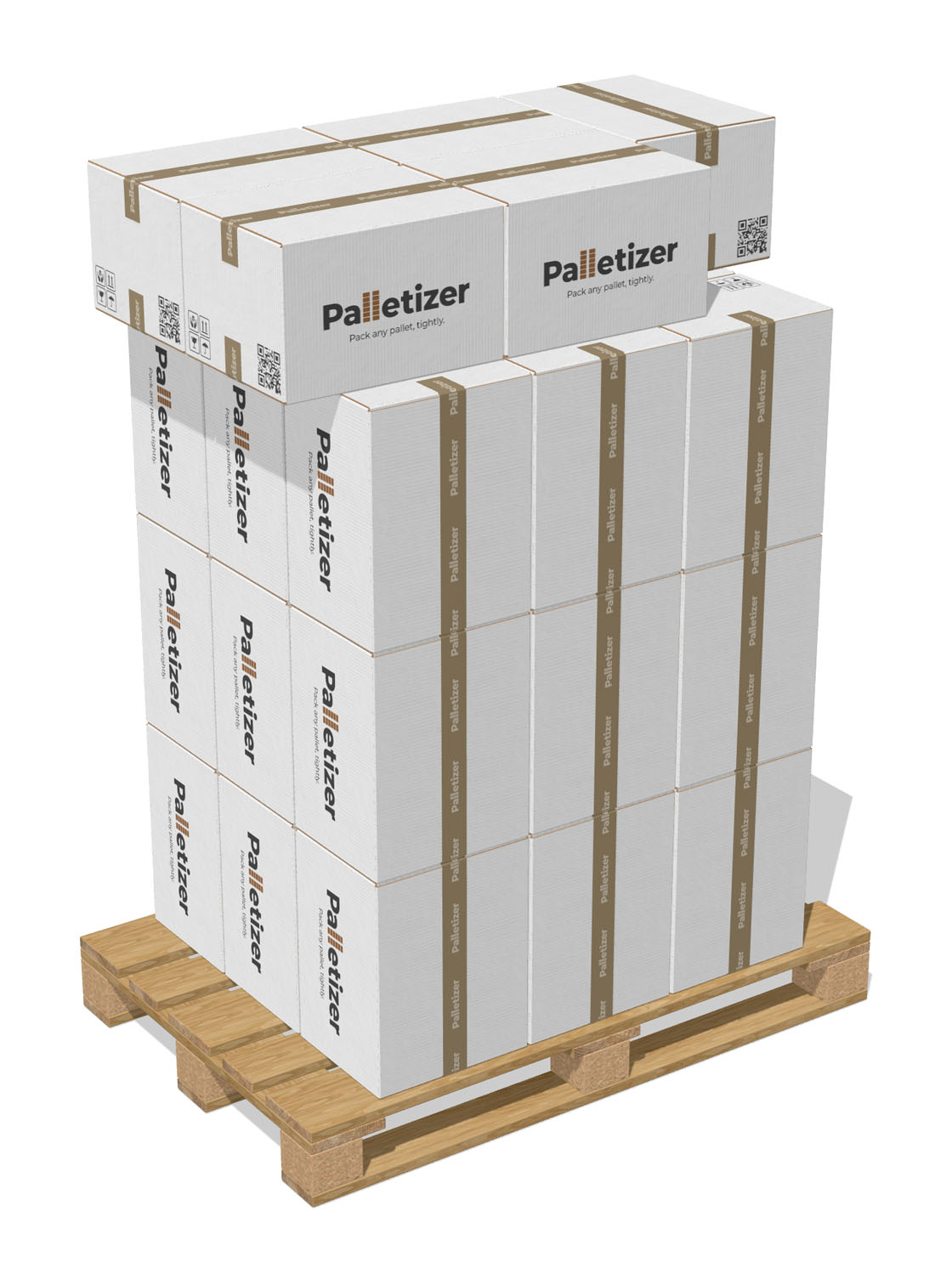
Max Cuboids
Layer-Builder + maximal empty cuboids
A dense regular layer for the base tiers, then maximal-empty-cuboids packing fills the roof gap. Highest utilisation of the five, deterministic bottom layers.
- Identical bottom tiers (no “stairs”)
- Roof packing finds odd-orientation room
- Best total count in most scenarios
How it works
From an empty pallet to a load plan in seconds
Drag a few sliders. The carton, the pallet, the stack and the stats all update at the same time.
Pick a pallet
Choose from EUR, NA, AUS or JP presets — or set a custom footprint. Pallet height drives how many tiers fit under your load cap.
Describe one carton
Length / width / height in inside, outside or dieline mode, plus weight and tape settings. Real folded corrugated carton appears at the centre.
Pick an algorithm
Aligned, Mixed, Free 3D, Free Fit or Max Cuboids. The 3D scene rebuilds live as you change the option or any dimension.
Read the stats, ship it
Boxes per layer, layers, total boxes per pallet, weight per pallet, utilisation, and pallets needed for your production quantity.
Looks like the real thing
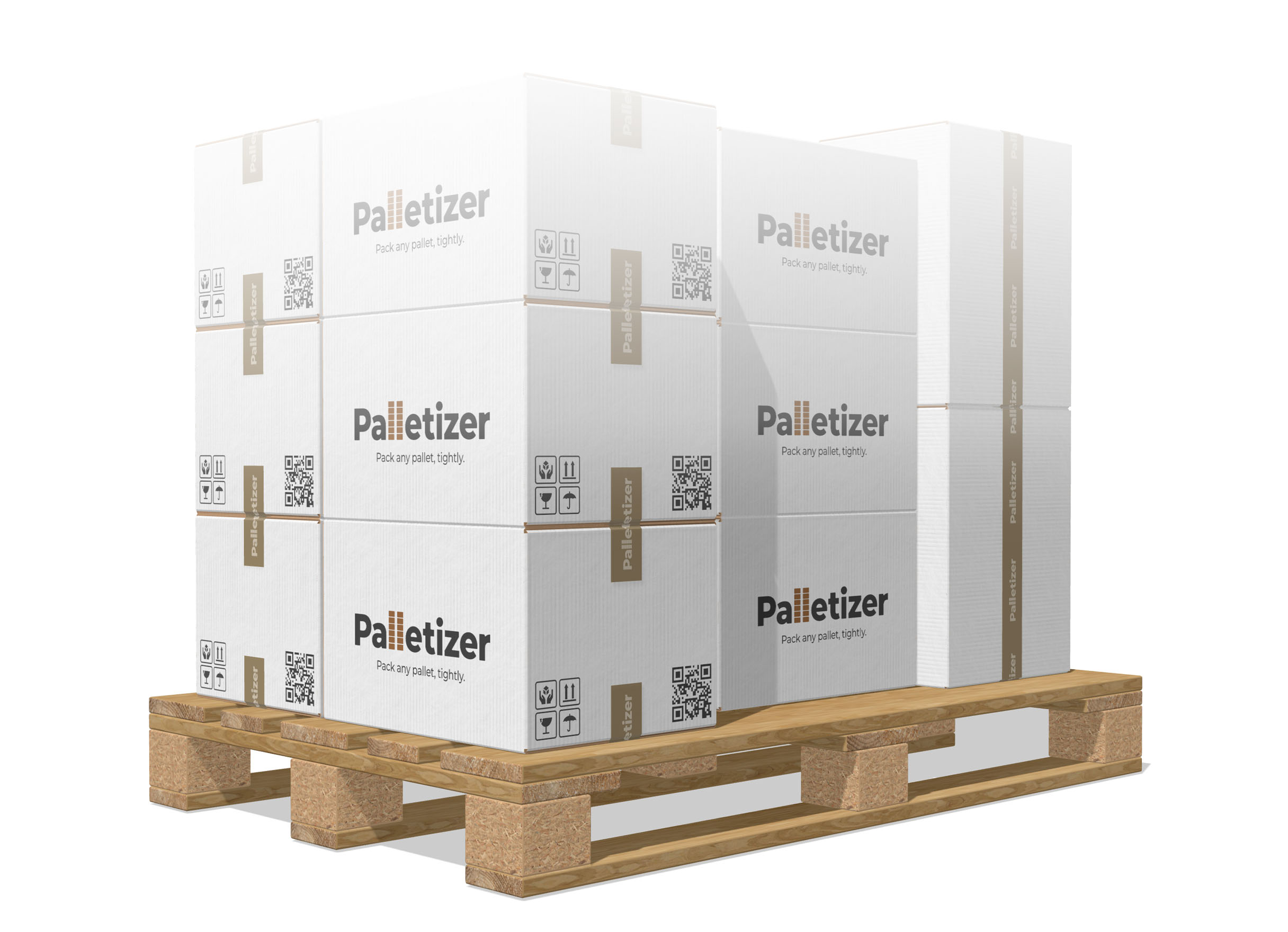
Not a placeholder cube — a real folded carton
The carton on the pallet is the same engine the BoxLab editor uses. Swap materials, tweak tape, see exactly what ships.
Box material
Pick kraft, greyboard or any custom finish. Print pattern, gloss, color — they all apply to every clone on the pallet at once.
Sealing tape
Width, tail length and thickness are first-class inputs. Tape geometry never inflates the layout spacing — boxes pack by the carton envelope.
EUR-style wooden pallet
Procedural OSB blocks, oak plank veneer, end-grain butts. Looks like the real pallet under your stack.
Custom design
Brand every carton in seconds
Open the Design tab. Drop in artwork, swap materials, pick a finish. The change ripples to every clone on the pallet — what you see is what your printer gets.
Drop in your artwork
Upload PNG, JPG or SVG straight onto the carton’s outer face. Logos, photos, full-bleed graphics — they wrap the box exactly as they will print.
Built-in design editor
Text, shapes, images, layers, snap-to-guides, alignment, multi-select — the same design surface BoxLab uses for cartons in production.
Materials, ink, finish
Switch the base stock (kraft, greyboard, custom color), tweak gloss, swap the sealing tape — every box on the pallet refreshes instantly.
Print-ready dieline
Export the unfolded carton as SVG or PDF, design baked in, registration marks and creases included — straight to your printer.
Who it’s for
Built for the people who actually ship
Not a sales demo. The Palletizer ships every feature; the same instance is used by BoxLab to design real pallets.
Logistics planners
Quote pallet counts and total weight before the run starts. Compare algorithms in one click.
E-commerce ops
Validate carton dimensions against your 3PL’s pallet contract — EUR, ISO or US — without paying for software.
Packaging designers
See how a carton change ripples into pallet utilisation. Catch a 10 mm decision that costs you a tier.
FAQ
Questions, answered
Everything you might want to check before opening the calculator. Still missing something? Email us.
Is Palletizer really free?
Do I need to register?
Which units does it use?
Are the standard pallet presets accurate?
Will my browser handle the live 3D?
Can I export the dieline?
What about really odd box ratios?
Does Palletizer save my data?
Pack your next pallet in 60 seconds.
Free, full features, no sign-up. Open Palletizer right now — the only thing missing is your box dimensions.